
When a faulty update from security firm CrowdStrike caused millions of Windows PCs to crash in 2024, Microsoft sought to answer why so many systems were so fragile. The result: a smarter, more resilient Windows designed to stay online, recover faster, and avoid another mass outage. Let’s break down how Microsoft is quietly transforming Windows […]
Microsoft’s vision for a more resilient Windows experience

Break these bad Windows habits to boost speed and security

Windows PCs are powerful tools, but only if you use them wisely. If you’ve been putting off updates or backups, it’s time for a change. Here are 10 everyday habits that could be holding your PC back and how to swap them out for better practices. 1. Putting off Windows updates Installing updates might seem […]
Break these Windows PC habits for peak productivity

Is your Windows PC slowing your work down? The root cause might not be your computer, but your habits. By breaking free from a few inefficient practices, you can speed up your tasks and streamline your everyday PC use. Here’s a breakdown of 10 common habits that can drag down your Windows experience, and how […]
Stuck on updating? How to fix common Windows Update failures

Nothing tests your patience quite like the “Checking for updates…” screen on a Windows PC — unless it ends with a failed update message, just to add insult to injury. Windows Update issues are a common headache for many users, interrupting workflow and potentially leaving systems vulnerable. This article offers practical solutions to get your […]
Windows 10 support ends soon. What should you do now?

The clock is ticking for Windows 10 users, as official support will end in October 2025. But what does this mean for you, and how should you prepare? This guide covers everything you need to know to prepare for the transition. What happens when Windows 10 support ends? Your computer won’t suddenly stop functioning after […]
Unlock hidden Windows features with PowerToys

Looking to unlock hidden features on Windows? Microsoft PowerToys offers a suite of free utilities that can boost your productivity with powerful tools such as advanced window snapping, batch file renaming, and a lightning-fast search function. This article discusses the latest PowerToys features and shows you how to make the most of them. What is […]
5 Steps to limit AI in Windows and your web browsing

Artificial intelligence (AI) has become a key feature in many tools, such as Microsoft’s Copilot in Windows and Google’s AI-powered search responses. Although these innovations are designed to enhance productivity, not everyone finds them beneficial. If you’re someone who values a more traditional, AI-free environment, this article will help you achieve that in five easy […]
Things you didn’t know you could do on Windows 11 Task Manager

This article explores the lesser-known features of Windows 11’s Task Manager, offering valuable tips and tricks for optimizing system performance, troubleshooting issues, and gaining better control over your computer. Unlocking Task Manager’s potential When you launch Task Manager with Ctrl + Shift + Esc, there are several features you might not be using. For example: […]
Windows in-place upgrade install: The easiest way to repair your PC
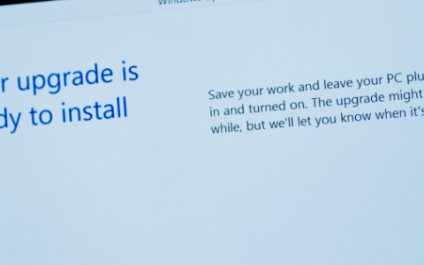
Don’t let a sluggish or buggy Windows PC slow you down. A Windows in-place upgrade install is a quick and easy solution to refresh your system without losing your files. Learn how to perform this simple process and get your PC running smoothly again. What is a Windows in-place upgrade install? A Windows in-place upgrade […]
A short guide to transferring files from your phone to your computer

The process of transferring files from mobile device to PC isn’t the same for everyone, as different devices have different interfaces and compatibilities. Discover the most effective strategies for transferring files between your Windows PC and phone in this blog post. Transferring files using a USB cable This tried-and-true method is a reliable and universally […]