
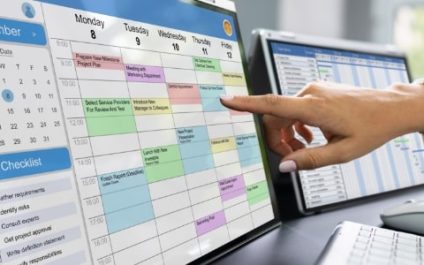
Giving clients the freedom to book their own appointments shouldn’t mean giving up control of your calendar. Without appropriate scheduling rules, you may find yourself dealing with short-notice bookings, last-minute cancellations, and meetings scheduled too close together. Microsoft Bookings lets you control how far in advance clients can book, when they can cancel, and how […]
Microsoft Bookings settings most admins overlook
Why Android’s built-in screen rotation falls short, and what to do about it

Screen rotation on Android is one of those features that works well in theory but can be frustrating in practice. The phone’s accelerometer decides when to rotate the display, but it doesn’t know that you’re reading in bed or that you want one app to remain in portrait orientation while another works better in landscape. […]
No more scheduling back-and-forth: How Microsoft Bookings keeps appointments moving

Microsoft Bookings replaces the scheduling email chain with a self-service booking page tied to your real-time calendar availability. Clients choose their own time, receive automatic confirmations, and can reschedule or cancel without involving your staff. For businesses with appointment-based services, the efficiency gains are immediate and measurable. Automated scheduling that runs without you The core […]
Presenter Coach: PowerPoint’s most underrated tool

PowerPoint Presenter Coach has been part of Microsoft 365 for several years, but it remains one of the lesser-known features in the suite. It provides real-time coaching on delivery quality, covering everything from speech pacing and filler word use to body language and pronunciation, and generates a detailed report at the end of each rehearsal […]
Stop reaching for the mouse: Save time with these Windows keyboard shortcuts

The time it takes to reach for a mouse, find the cursor, navigate to a button, and click adds up quickly across a workday. Luckily, Windows 10 and 11 include keyboard shortcuts that handle window snapping, taskbar navigation, and desktop management in a single keypress. Here are the ones worth committing to memory. Snap: Arrange […]
Stop scrolling through filters: How Excel slicers make data exploration simple

If you regularly work with tables or PivotTables in Excel, slicers can make filtering your data much easier. Rather than hunting through dropdown filter lists, slicers give you a visual panel of buttons corresponding to each category in your data, making filtering fast, intuitive, and easy to reverse. Anyone who has spent time wrangling a […]
How to stop burning through your mobile data plan on Android

Between background app refreshes, auto-playing videos, and automatic updates downloading over cellular, Android phones can burn through data in ways that are easy to miss. A few targeted settings changes can make a significant difference without changing how you actually use your phone day to day. Here’s how to get started. Know exactly how much […]
A practical guide to using Android tablets at work

To get work done quickly on an Android tablet, it helps to have an efficient workflow. These tips can help users reduce distractions, speed up everyday tasks, improve multitasking, and turn their tablets into reliable business productivity tools. Choose the right productivity apps The apps employees use can have a huge impact on how productive […]
Stop wasting hours on emails: Simple Gmail tips for getting back to work

Hours spent checking and responding to emails can quickly turn into unproductive time, stealing focus from more important tasks. With a few straightforward Gmail tips, you can reduce the time spent managing your inbox and get back to work with fewer distractions. Write emails quickly with AI Gmail offers the powerful ability to compose emails […]
Why you should perform a disk cleanup right now

As your computer stores more data, it may begin to struggle with accessing and processing information quickly. Fortunately, disk cleanups are a simple way to address this issue and boost your PC’s performance. Here’s how it works: What is disk cleanup? Disk Cleanup is a built-in utility in Windows that helps you remove unnecessary files […]